
Solve 3D Puzzles to Reveal Hidden 2D Images
Overview
Blueprint 3D is a puzzle game designed to challenge spatial reasoning and visual perception. Players are tasked with rotating and manipulating three-dimensional skeletal models to uncover the correct two-dimensional image hidden within. The game presents a unique twist on traditional puzzle mechanics by requiring users to mentally align a 3D structure with its 2D blueprint equivalent. This process enhances cognitive engagement and provides a satisfying sense of accomplishment upon successful completion.
Targeted at casual and intermediate puzzle enthusiasts, Blueprint 3D appeals to those who enjoy brain teasers and logic-based challenges. The game features over 300 puzzles organized across diverse categories, including military equipment, famous architecture, and musical instruments. These thematic groupings offer variety and help players gradually build familiarity with different object types. For users unfamiliar with a category, the challenge increases significantly, adding replay value and depth to the gameplay experience.
Developed by SoftPas, the software is structured as a desktop application compatible with both Windows and Mac operating systems. The developer did not provide additional details about their background or prior projects. Real-world usage scenarios include leisure time entertainment, mental exercise, and educational applications in visual-spatial learning. The game’s simple yet effective design makes it suitable for short sessions or extended play.
Key Features & Capabilities
- 3D to 2D Puzzle Mechanics – Players rotate and revolve a 3D skeletal model to match a hidden 2D blueprint, testing spatial awareness and pattern recognition.
- Over 300 Puzzles – A large library of challenges ensures extended gameplay and repeated engagement across multiple sessions.
- Thematic Puzzle Categories – Puzzles are grouped into categories such as military equipment, architecture, and musical instruments, offering diverse subject matter and difficulty levels.
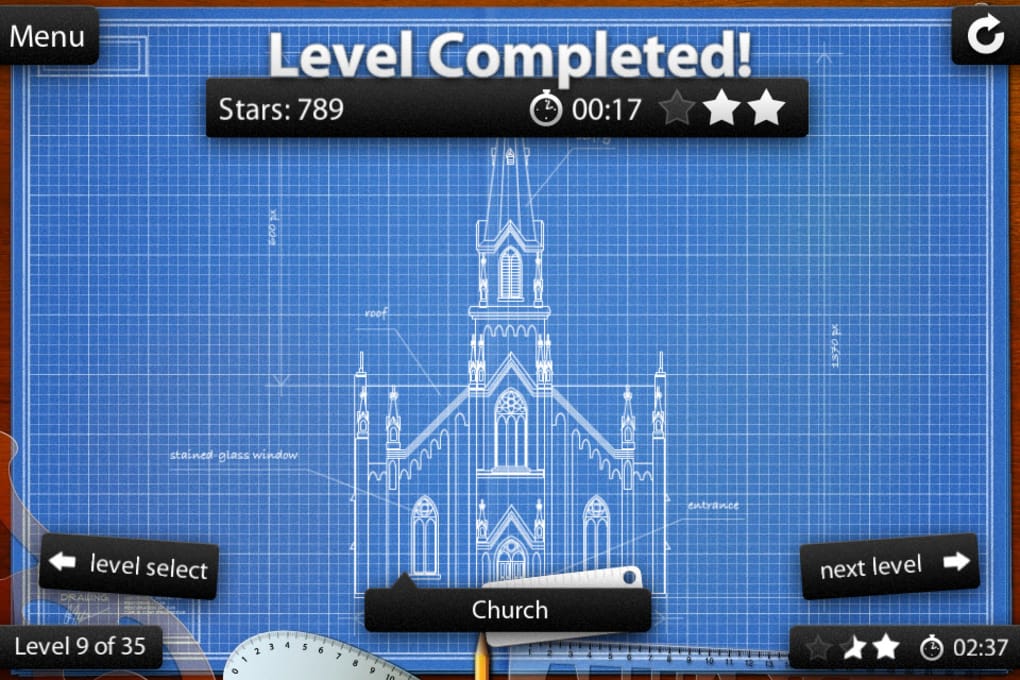
- Performance Tracking – Each level records solving time and awards a star rating (up to three stars) along with a numerical score, encouraging improvement and replayability.
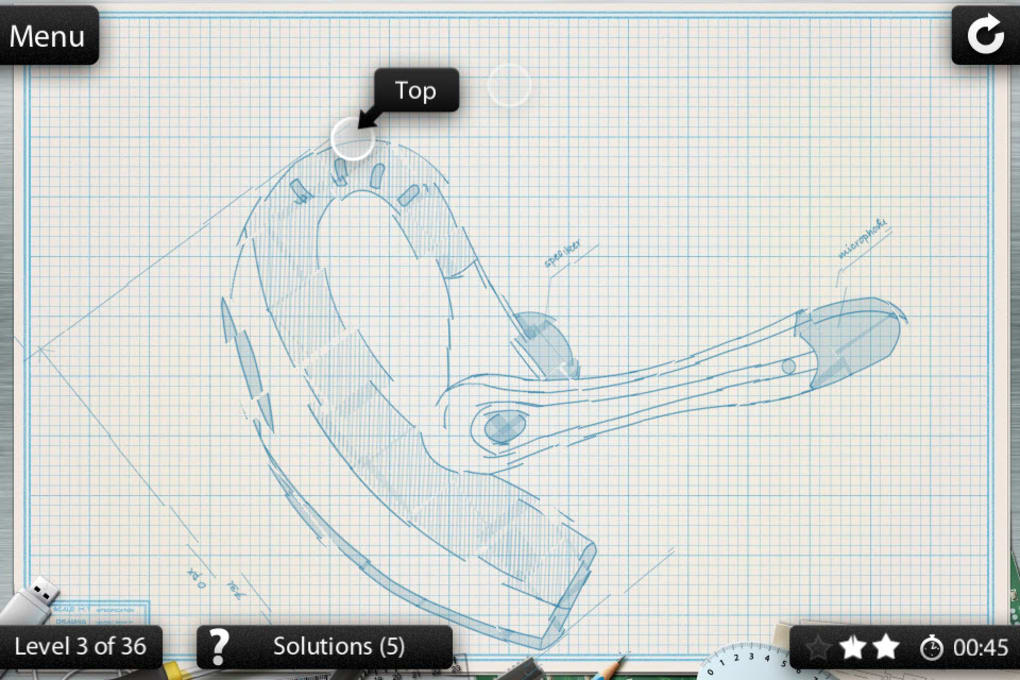
- In-Game Hints – A hint system assists players when progress stalls, reducing frustration and supporting learning through trial and error.
- Simple, Blueprint-Inspired Graphics – The visual design uses blue and white line-based backgrounds resembling technical blueprints, creating a consistent and immersive aesthetic.
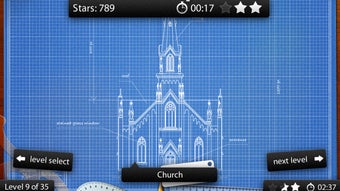
These features collectively support cognitive development, particularly in visual-spatial reasoning. For example, a player working on a puzzle involving a cathedral may need to mentally rotate the 3D model to match the flat silhouette of the building’s façade. The hint system helps when the object is unfamiliar, allowing users to learn through guided discovery. The scoring system incentivizes efficiency and precision, making the game both entertaining and achievement-driven.
User Interface, Workflow & Performance
The user interface of Blueprint 3D is clean and focused, centered around a single 3D model display area with intuitive controls for rotation and perspective adjustment. Navigation is straightforward, relying on mouse-based manipulation to rotate the model in real time. The simplicity of the UI minimizes distractions, allowing users to concentrate on the core challenge of aligning the 3D structure with its 2D counterpart.
Workflow efficiency is high for experienced players, as the controls respond directly to input with minimal lag. The game’s mechanics are designed to be accessible, enabling users to begin solving puzzles immediately after launch. However, exact performance details were not specified by the developer. General software behavior patterns suggest stable operation under typical desktop conditions, though performance may vary based on system resources.
Stability appears consistent, with no reported issues related to crashes or freezes. The developer did not specify resource usage details such as CPU or RAM consumption. Users should expect a lightweight experience given the game’s simple graphics and straightforward mechanics. For optimal performance, it is recommended to run the application on a system that meets standard desktop requirements for similar software.
Compatibility & System Requirements
Blueprint 3D is available for both Windows and Mac operating systems. The software version is 1.0, with a file size of 150 MB, indicating a lightweight installation. The developer did not provide additional system requirements or hardware specifications.
Compatibility information is limited to the operating systems listed. Platform-specific compatibility details were not included, so users should ensure their system supports the required OS version. The installation size suggests minimal storage impact, making it accessible even on devices with limited space.
Exact system requirements were not listed, so users should rely on general compatibility assumptions for desktop applications of similar scope. The game’s simple graphics and low file size imply it should function on most modern desktops without significant performance issues.
Pros and Cons
Pros
- Over 300 puzzles offer long-term engagement and replayability.
- Unique 3D-to-2D puzzle mechanic provides a fresh challenge.
- Thematic categories enhance variety and learning potential.
- Performance tracking with star and numerical scoring encourages improvement.
- Hint system supports players during difficult puzzles.
- Simple, clean interface minimizes distractions.
Cons
- Difficulty spikes when players encounter unfamiliar categories.
- Limited system requirements information may cause uncertainty.
- Graphics are minimal and may not appeal to all users.
- Performance data not provided for resource monitoring.
- Only one version (1.0) available; no update history shared.
FAQ Section
Is Blueprint 3D available for both Windows and Mac?
Yes, the software is compatible with both Windows and Mac operating systems.
Is the game free to download and use?
Yes, Blueprint 3D is available at no cost. There are no fees for downloading or playing the game.
Can I play Blueprint 3D offline?
Yes, the game does not require an internet connection to function. It operates as a standalone desktop application.
How often are updates released?
The developer has not specified an update schedule. The current version is 1.0, and no future update details were provided.
What type of license does Blueprint 3D use?
The software is distributed as free-to-use software. The license type was not explicitly stated by the developer.
Final Thoughts + CTA
Blueprint 3D delivers a distinctive and mentally stimulating puzzle experience through its innovative 3D-to-2D mechanics. With over 300 puzzles across diverse themes, the game offers substantial replay value and challenges players to think in new ways. Its clean interface, performance tracking, and hint system make it accessible to a wide audience, from casual gamers to those seeking cognitive enrichment.
While the game’s minimalistic graphics may not appeal to everyone, its core gameplay remains engaging and rewarding. The difficulty curve is balanced for experienced players but can become frustrating for those unfamiliar with certain categories. Still, the overall experience is satisfying and well-suited for short or extended play sessions.
For fans of brain teasers, logic games, and spatial puzzles, Blueprint 3D stands out as a compelling choice. Its unique concept, combined with a free price point, makes it a strong contender in the puzzle genre.
Download Blueprint 3D now







